Scan food barcodes for free
Published by Evercrest Technologies LLC · Reviewed October 3, 2026
Barcode scanning is included in NexoPlate’s free tier. Scan a packaged food on your iPhone, review its nutrition information, and set the serving size for the amount you ate. You do not need NexoPlate Pro or an app account to use barcode logging.
Check the product and the portion
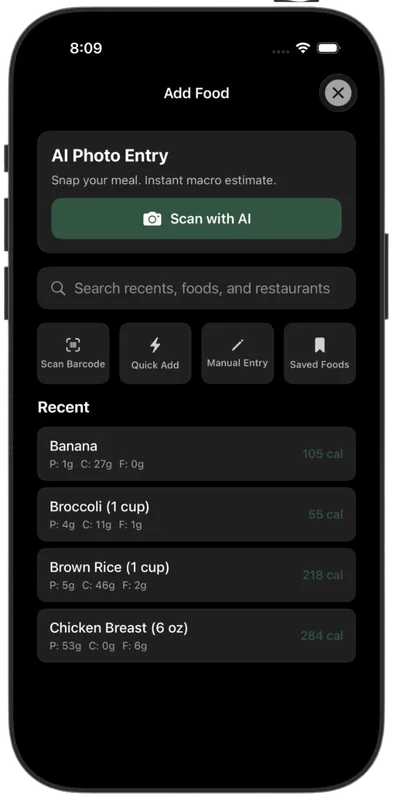
- Open Add Food and choose the barcode scanner. Allow camera access if prompted.
- Scan the package barcode and confirm that the product name matches the food you have.
- Compare the result’s serving size, units, calories, and macros with the current label.
- Choose the amount you ate and save the entry. Save a custom food when you need a corrected value again.
Where the information comes from
NexoPlate uses public nutrition sources including USDA FoodData Central and Open Food Facts. Coverage varies: a barcode can be missing, a product can be reformulated, or a database portion can differ from the label. The barcode identifies a product; it does not measure how much you ate.
If a scan fails or the calories look different
Check camera access and your internet connection. Try searching by the product name. If no suitable result appears, use Manual Entry to enter the label values and save the food. Our barcode-versus-label guide shows how to compare units and portions.
Online lookup and free tracking
New product lookups use network services; cached results may be available offline. Barcode numbers and search terms are sent for lookup, and network requests carry standard metadata. Read the data-flow details.
Free also includes manual logging, saved foods and meals, and macro tracking. Optional Pro photo estimates provide another way to start a meal entry.